

There are several ways of receiving your batch notifications from a P-Line terminal or iPOS gateway account.
Manually retrieve the batch from your terminal
Set the autobatch feature on the terminal to “POS”, which will automatically print a batch report
Enable email notification of any closed batch
How to Enable Email Notification of Your Settlements in iPOS:
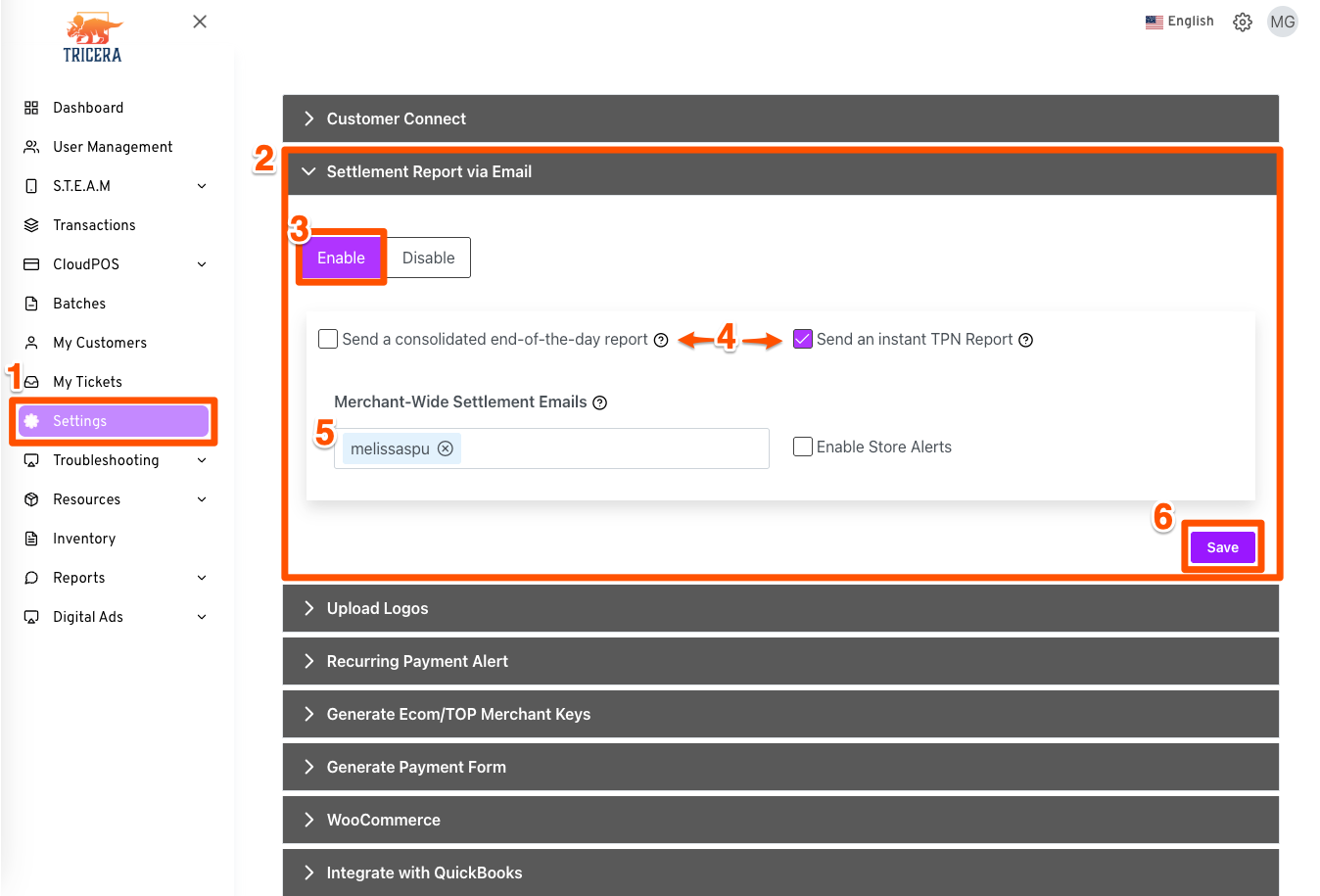
Log into iPOS by visiting portal.ipospays.com
From your Dashboard, click Settings
Click Settlement Report via Email
Click Enable
Choose either an end-of-day report or an instant report by TPN (this will give you an email from each device connected to your account)
By default your main contact email will be here. If you want to add another email, simply enter it here and click Enter.
Click Save