Square doesn’t offer traditional merchant statements, because with Square you don’t really have a merchant account. Your business has sub-account under their major account.
You can, however, go into Square’s online dashboard, and pull reports that will give you a similar level of information.
How to pull statements/processing reports from Square with processing fees
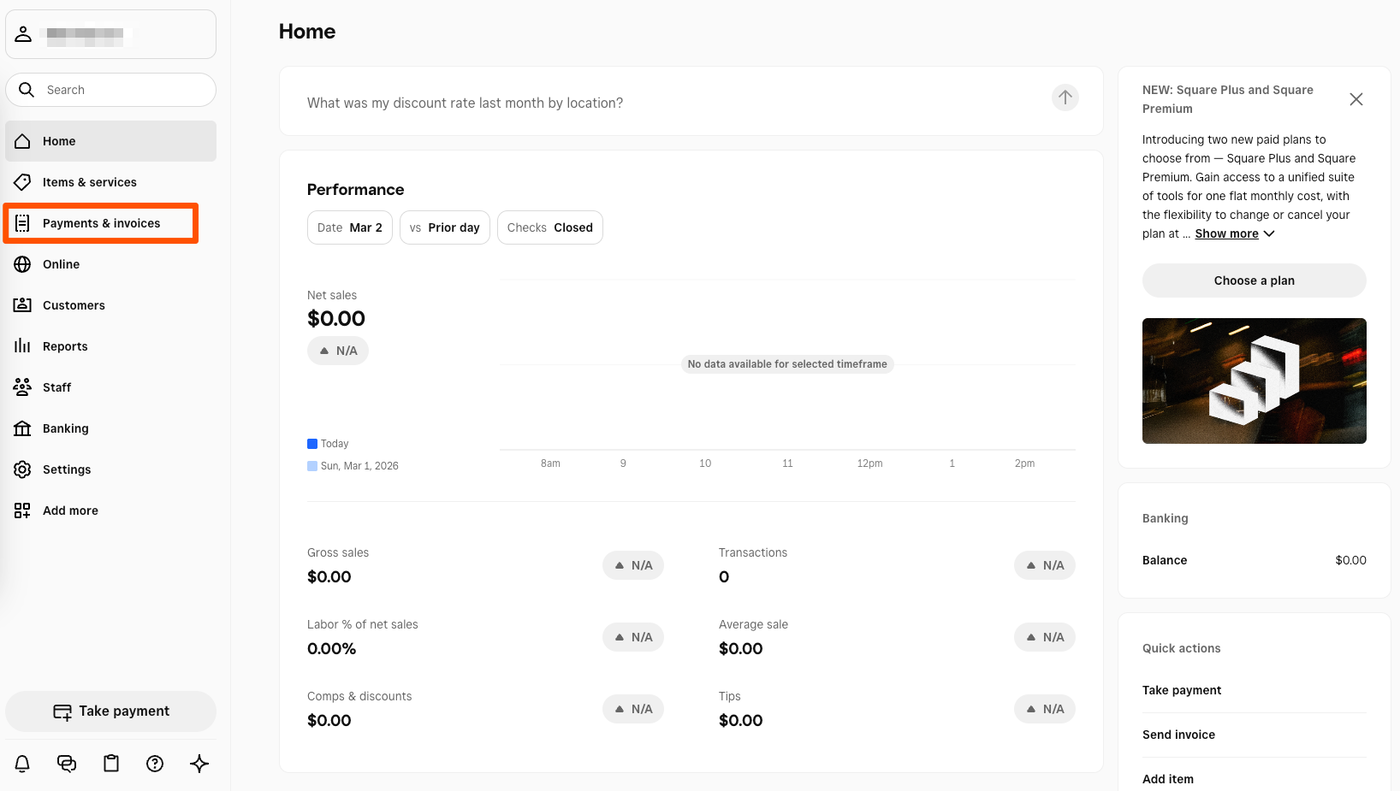
Log into the Square Dashboard by visiting app.squareup.com and logging in
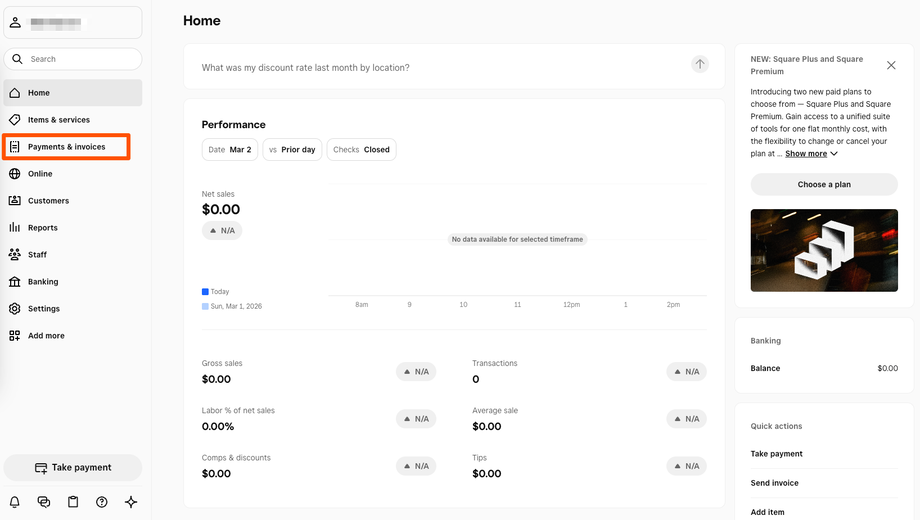
Once there, click Payments & Invoices
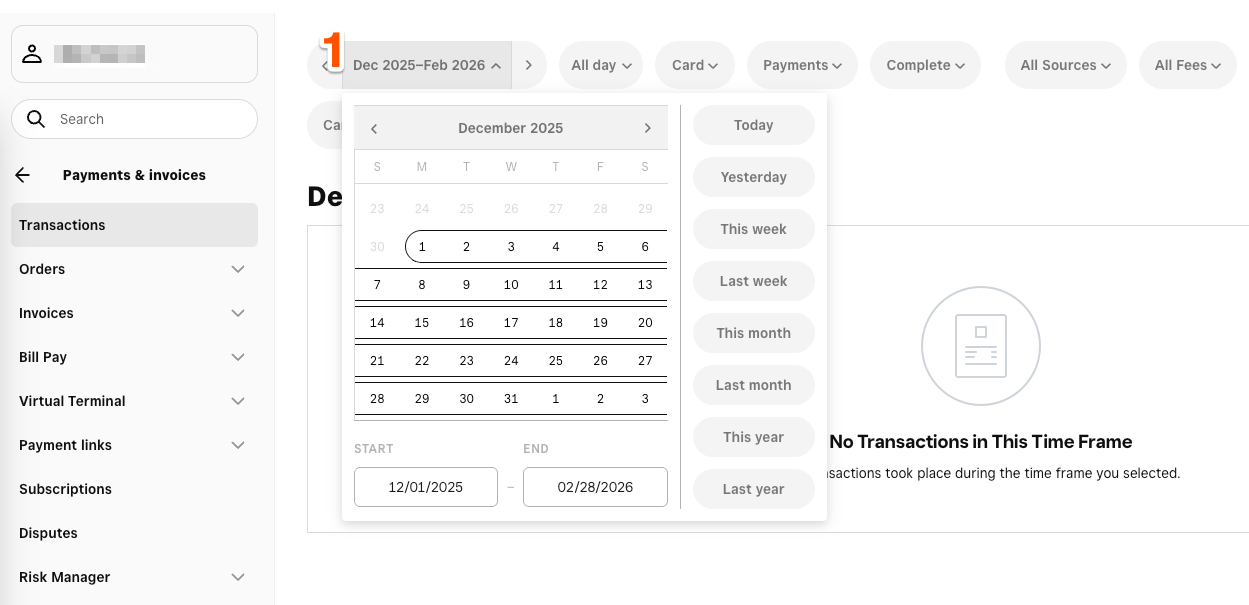
Click Transactions, then:
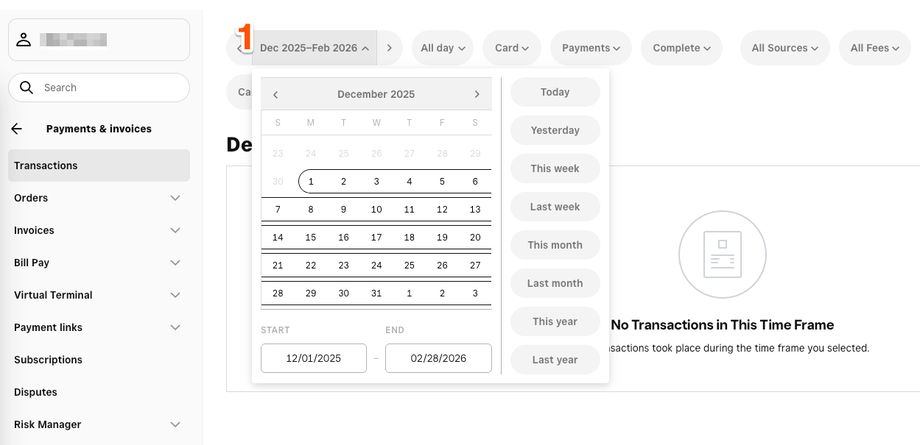
customize your date range. Typically you’ll choose the last 3 calendar months.
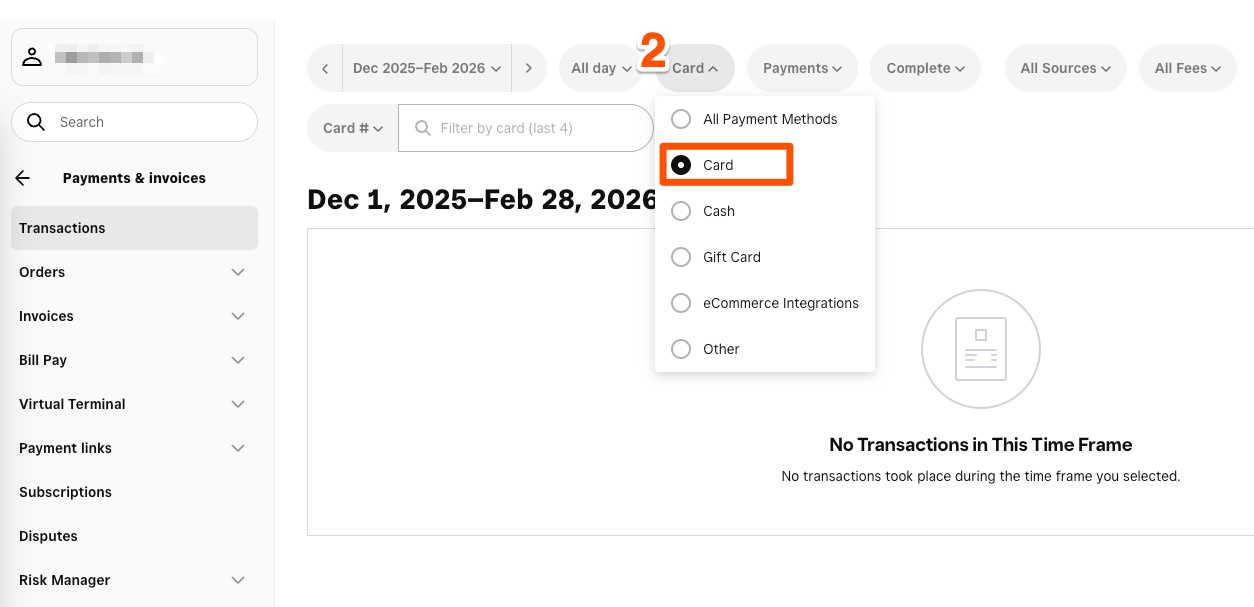
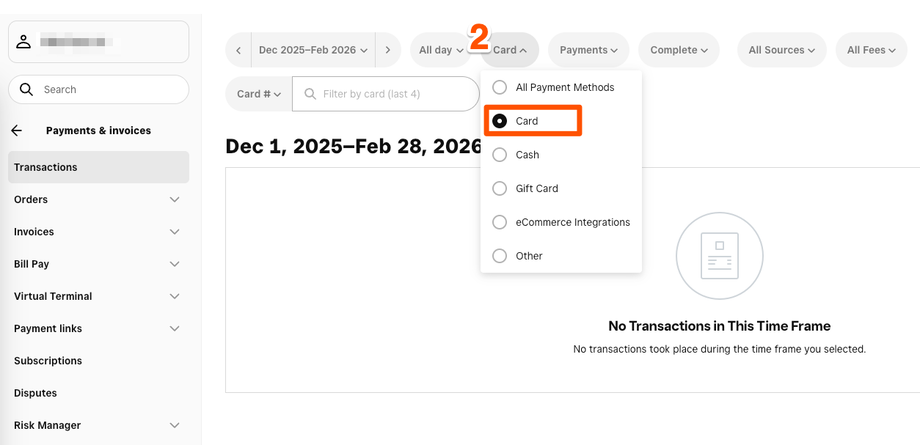
Choose Card from the payment method options
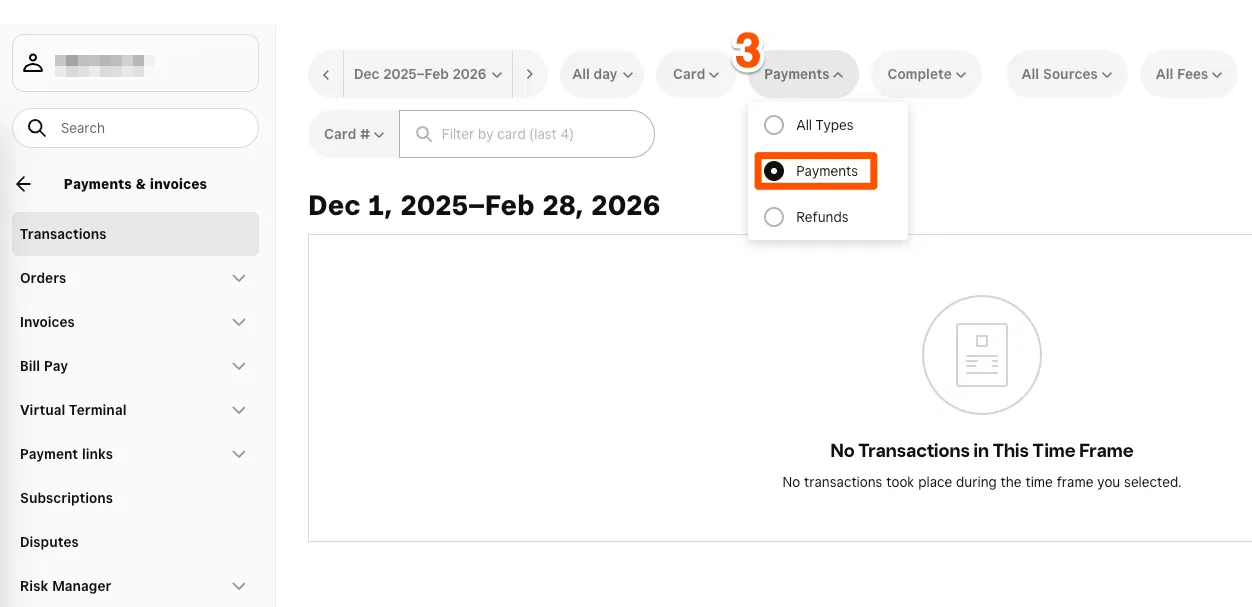
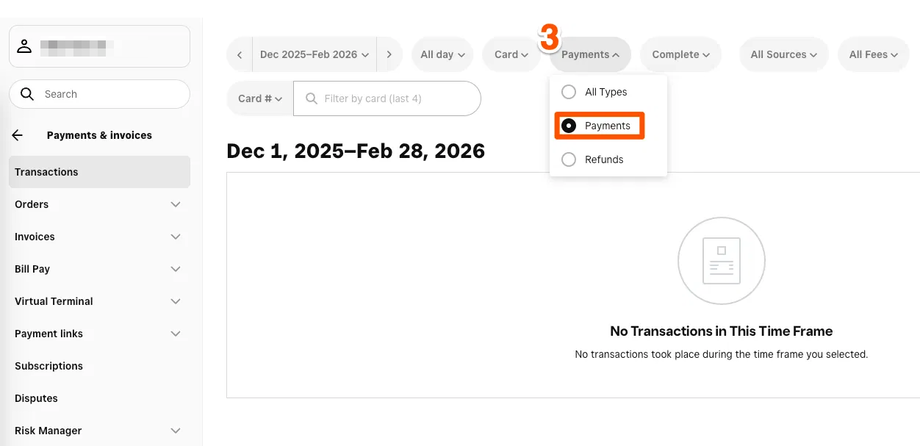
Choose Payments from the all types menu
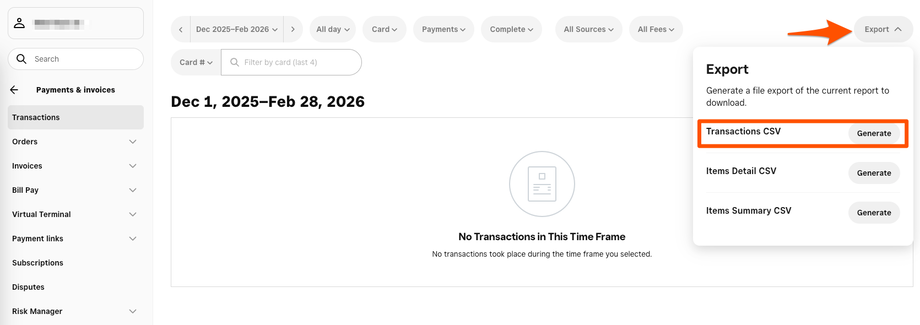
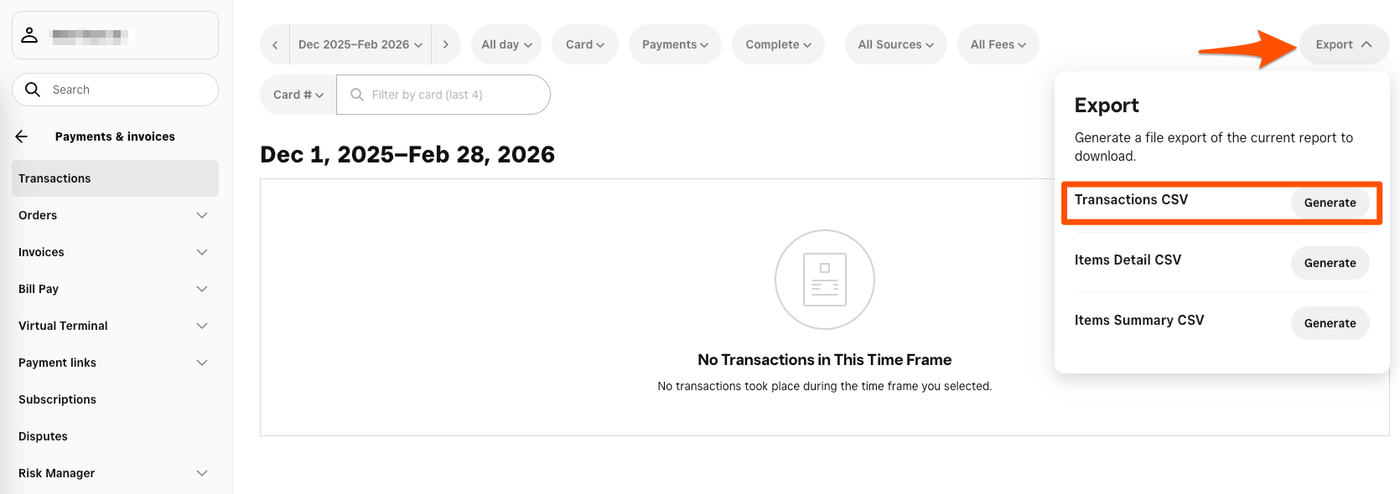
Now that you have set your filters, select Export from the top right of the screen and then click the Generate button next to Transactions CSV