It’s Friday night and you’re in the weeds. Good problems to have, you think to yourself. But then, your entire processing system reboots. Your servers and cashiers look at you with a mix of anger, despair, and disdain. You call your faceless processing company and while your call is very important to them, the hold time is over 30 minutes. 7 minutes later, you are rebooted, the sweat has stopped pouring down your back and you find yourself thinking… why does this happen?
How to Fix Pax A-Series Rebooting Randomly or at a Specific Time
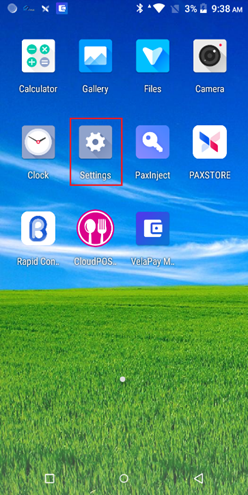
From the main screen, tap the Settings icon
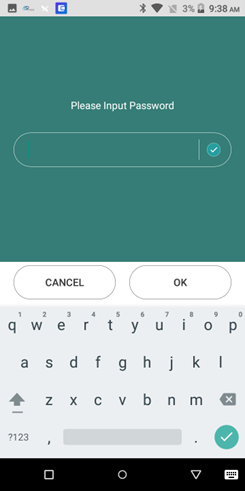
Input the password (typically pax9876@@ pax9876 or 9876)
Tap Security
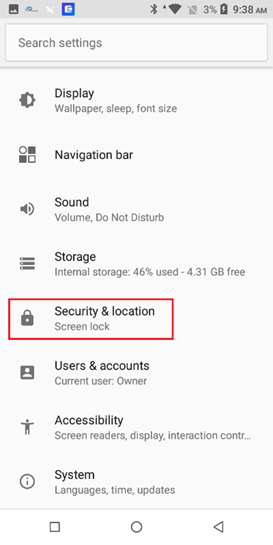
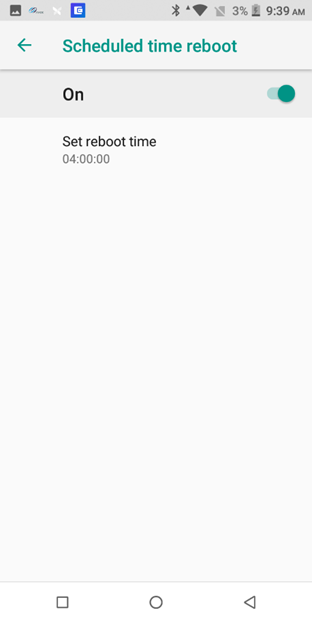
Scroll down and tap Scheduled time reboot
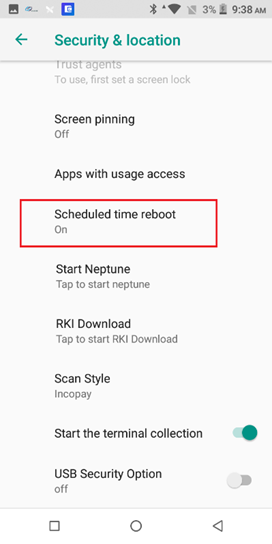
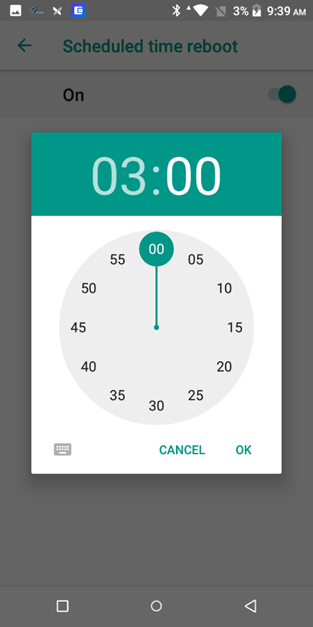
If this is not on, turn it on and select a time. A good choice is typically AFTER you close and after you finish up adjusting tips, etc. If you have an auto-batch set, choose a time after that for your update.