

WooCommerce is an immensely popular WordPress e-Commerce platform. To connect Tricera Secure to Woo Commerce, follow these instructions:
Step 1: Download the Accept.pay plugin
Click here to download the payment gateway plugin.
Step 2: Generate your source keys in the gateway:
2A: Generate the API Key
Log into Tricera Secure and click Control Panel -> Source Management
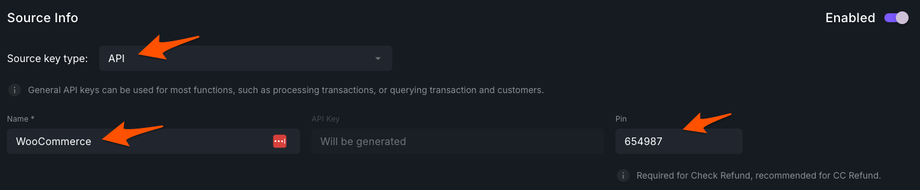
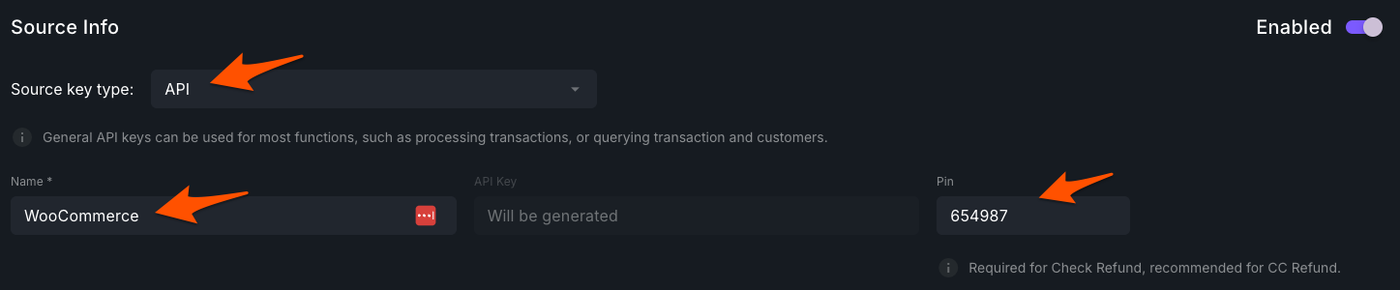
Click Create Key and enter a PIN (copy this for later), the API key will generate after the next step:
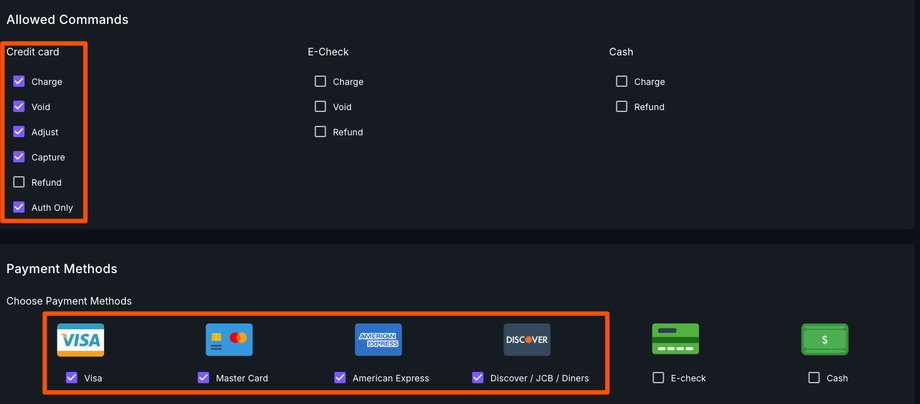
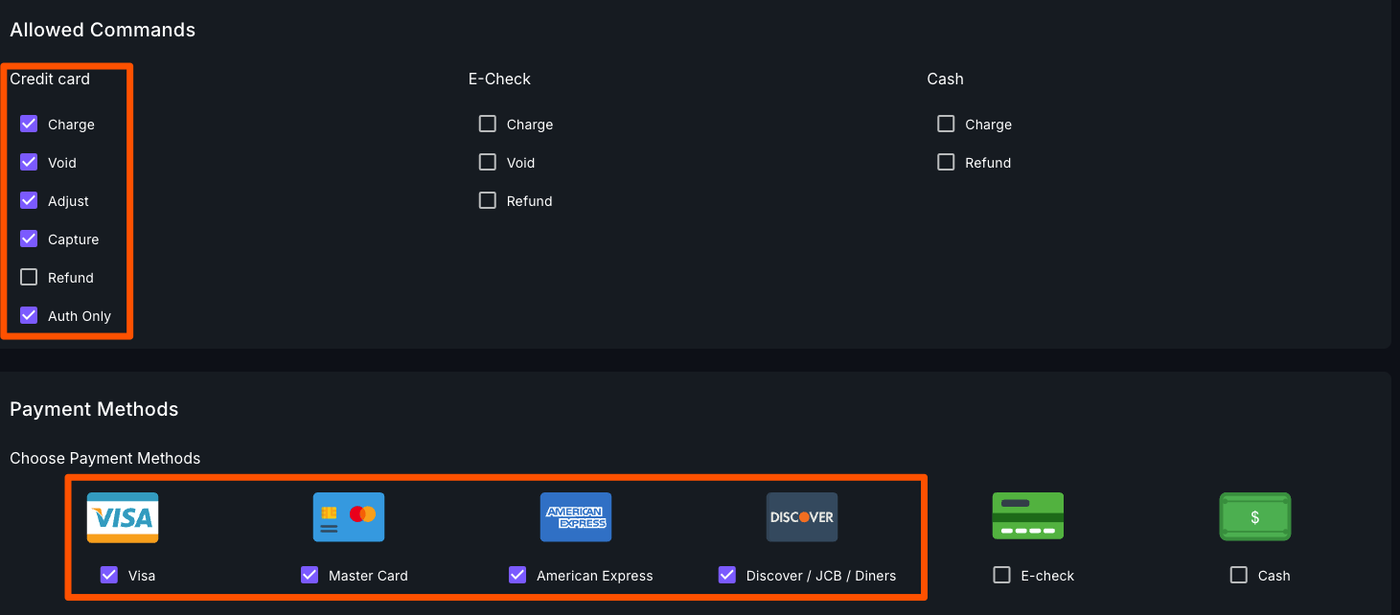
Scroll down to Allowed Commands and Payment Methods. Match your selections to the image below:
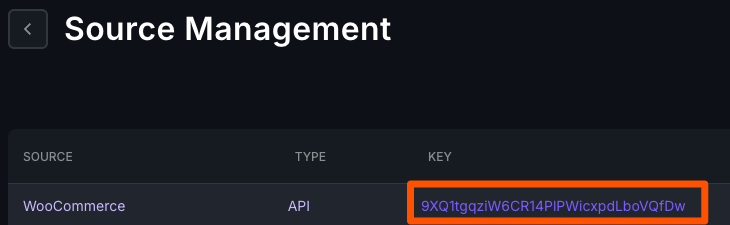
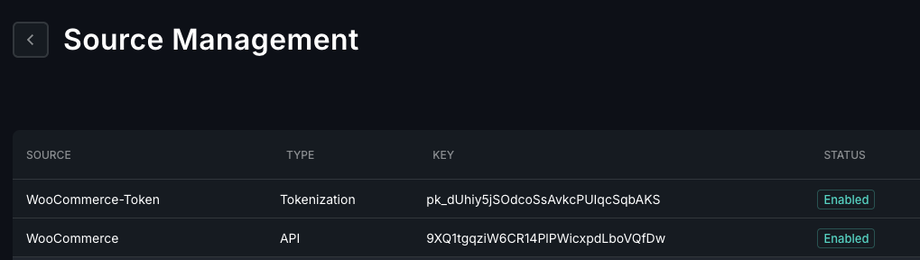
Click Save and you will be brought to the Source Management screen. Your API key will be displayed:
2B: Generate the Hosted Tokenization Key
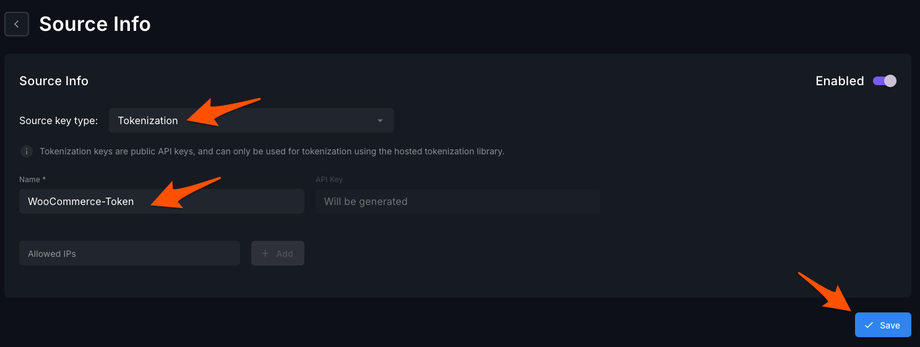
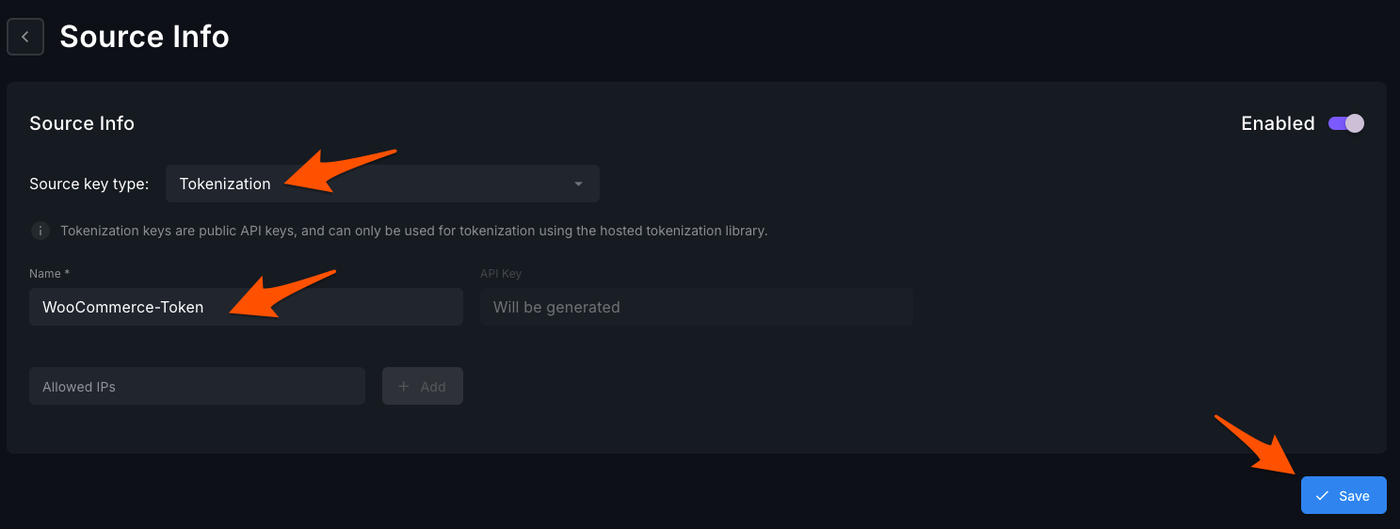
From the Source Management screen, click Create New and select Tokenization. Name your key and hit save.
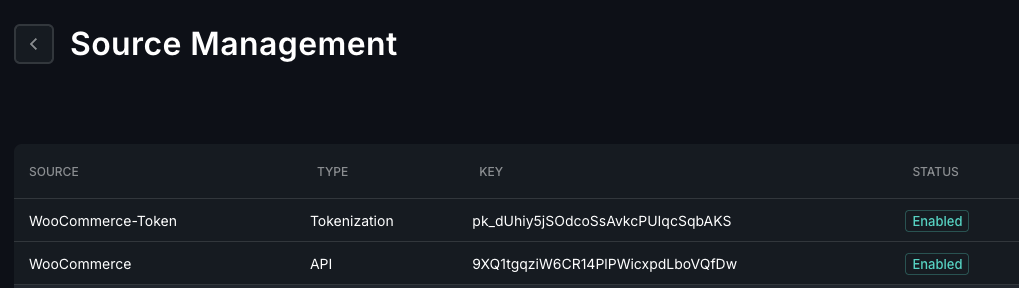
Your new key will be displayed on the main Source Management Screen
Step 3: Install the Plugin
In your WordPress admin dashboard, click Plugins -> Add New
Click upload plugin and upload the plugin you downloaded in Step 1
Click Install Now and then Activate
Go to WooCommerce -> Settings -> Payments -> Accept Blue Credit Card -> Manage
Enter the keys you generated in Step 2