If you are replacing a device, re-using an existing TPN requires that you obtain a One-Time-Passcode (OTP) from iPOS. You can get this yourself!
Log into your Dejavoo iPOS portal by visiting portal.ipospays.com and entering your email, password, and follow the two-factor authentication rules if applicable.
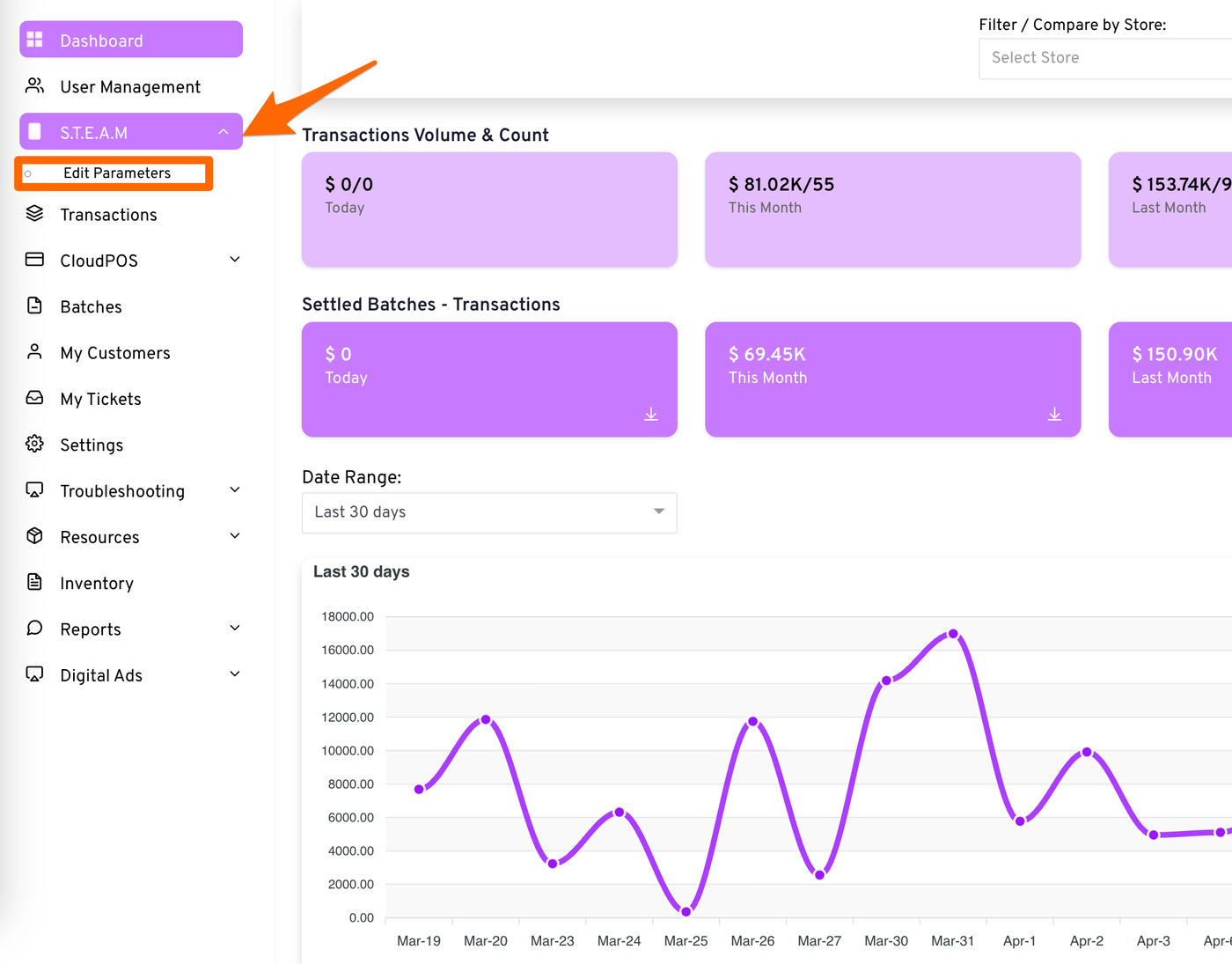
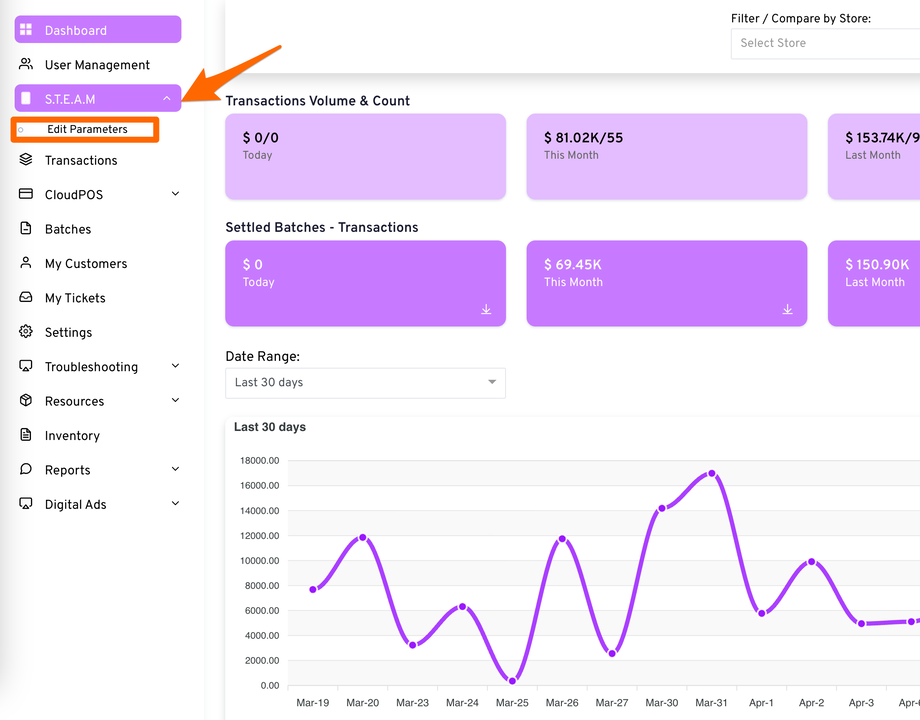
Once you’re in, click Steam and then Edit Parameters
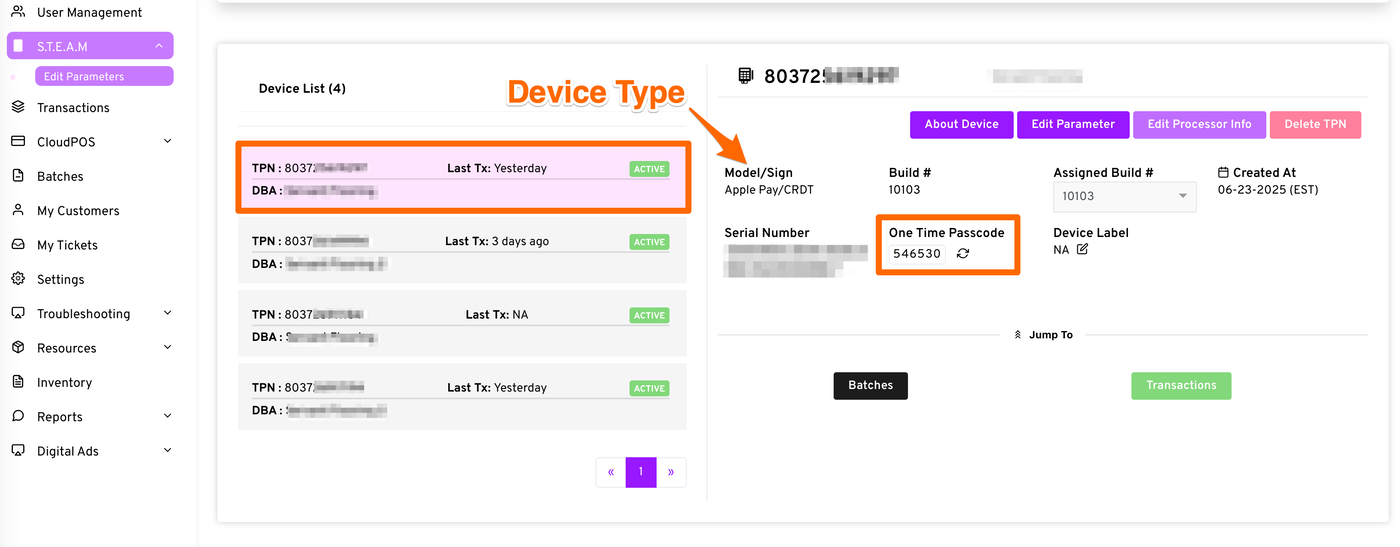
You will see a list of your devices. Find the correct TPN and click the row to highlight. If you’re not sure which one is which, you can click each to see what type of TPN it is.
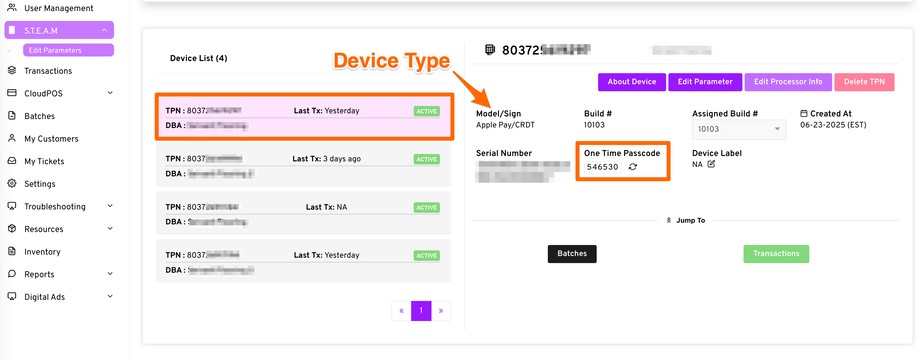
Once you locate the correct TPN, use the One Time Passcode displayed.
If you need to regenerate it for another device load, simply click the refresh arrows next to the OTP.